
How to Edit Product Information in BRS
What This Is
If you need to update information for a product on your BRS site — such as the product name, description, pricing, or suggested add-ons — you can edit the product directly from the Rental Items section.
Steps
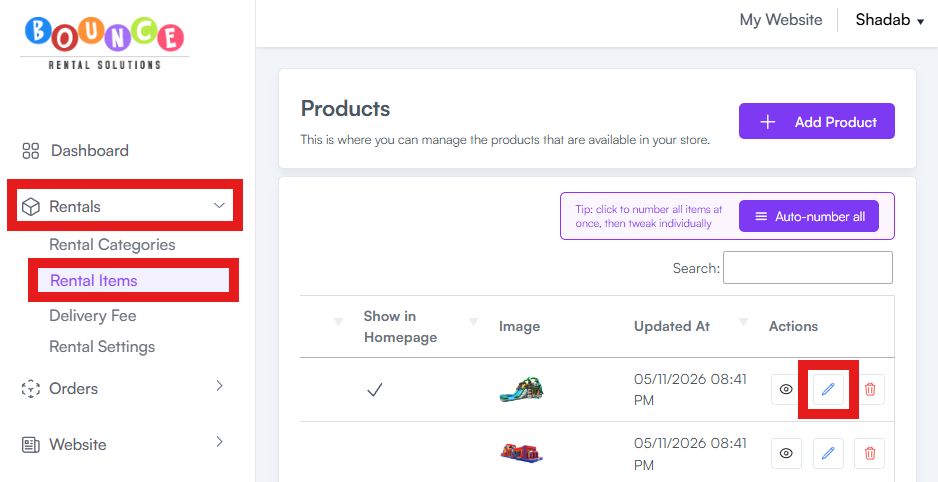
- Go to Rentals → Rental Items
- Find the product you want to edit
-
Click the Edit button (pencil icon) next to the product
- Update the information you need, such as:
- Product Name
- Description
- Pricing
- Suggested Add-ons
- Product Images
- Availability Settings
- Other product details
-
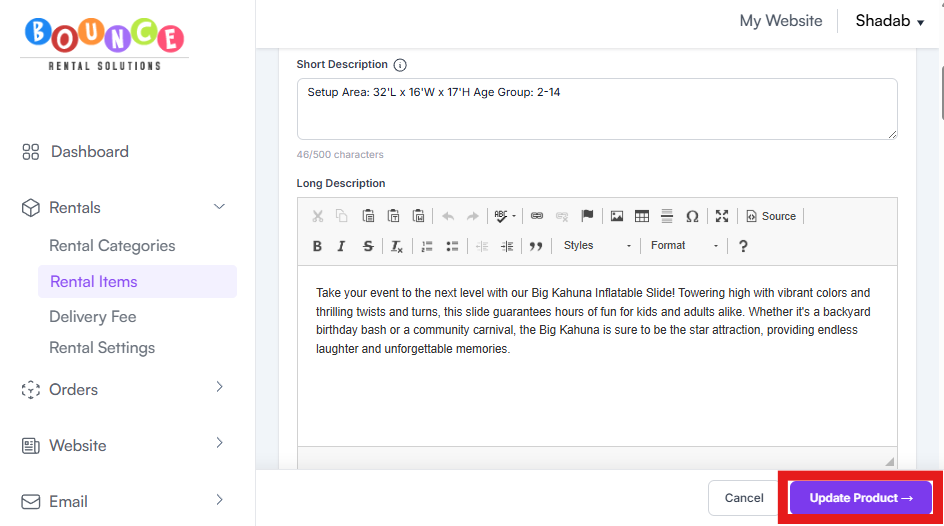
Once finished, click Save Product or Update Product
Additional Notes
Changes save immediately after updating the product and will reflect on your website once the update is complete.
Be careful when changing pricing or availability settings on active products, especially during busy booking periods, since changes affect future customer bookings immediately.