
How Inventory Sync Works in BRS
What This Is
Inventory Sync allows multiple BRS sites to share inventory counts across accounts in real time.
This feature is commonly used when:
- Multiple companies share equipment
- Contractors work together and pool inventory
- Businesses operate multiple BRS sites
- Partners want to prevent double-booking shared inventory
When sites are linked, inventory availability is combined automatically.
Example:
- Your site has 10 chairs
- A linked site has 30 chairs
Customers on either site will see 40 total chairs available.
If a booking is made on either site, the shared inventory count updates automatically across all linked accounts.
How to Access Inventory Sync
-
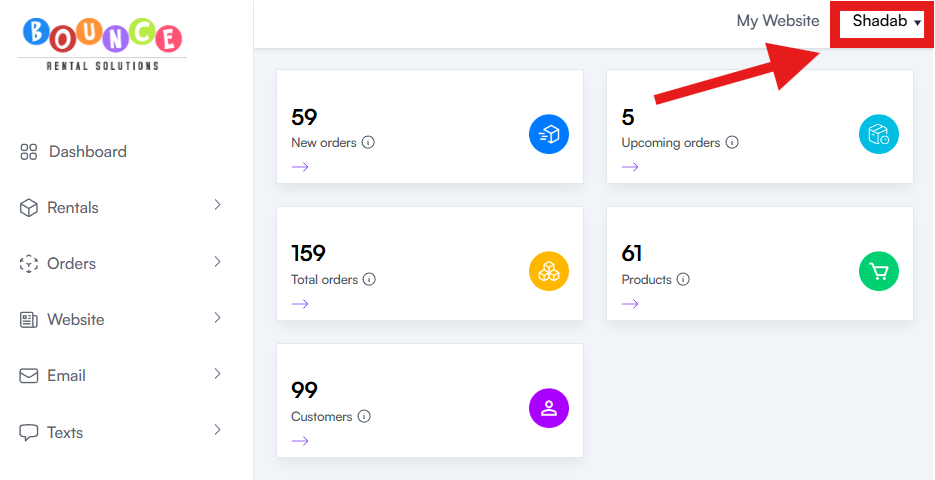
At the top right corner, Click your account
-
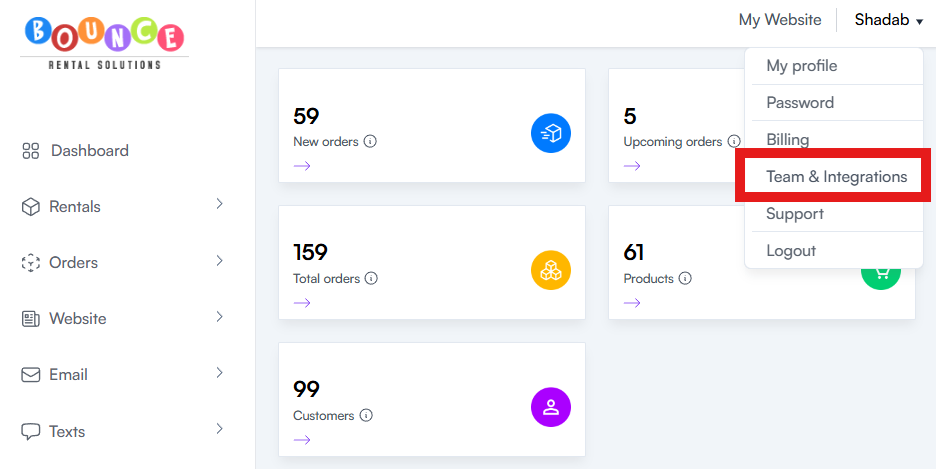
Go to Team & Integrations
-
Click Linked Sites
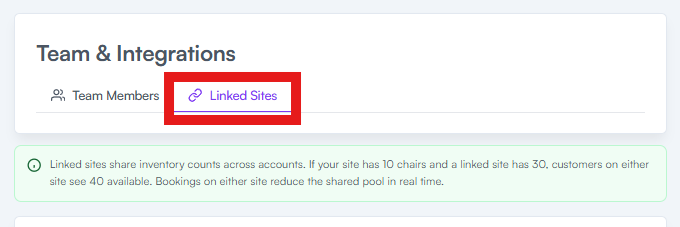
- Review your linked sites and inventory-sharing settings
This page allows you to:
- View linked sites
- Generate link codes
- Enter link codes from other contractors
- Approve or reject link requests
Linked Sites
The Linked Sites section shows all accounts currently sharing inventory with your site.
Once linked:
- Inventory availability is pooled together
- Inventory updates happen automatically
- Bookings affect the shared inventory count in real time
This helps prevent overbooking across multiple businesses or accounts using the same equipment.
How to Generate a Link Code
If you want to connect inventory with another contractor:
-
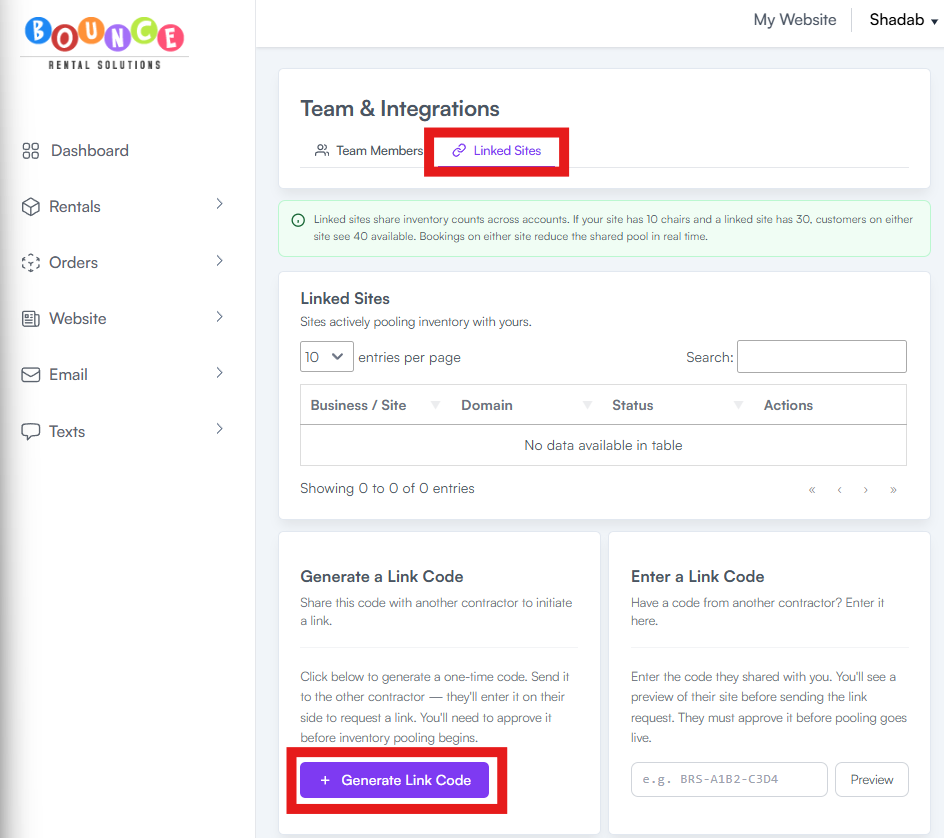
From the Linked Sites Tab, Click Generate Link Code
-
Copy the one-time code generated by BRS
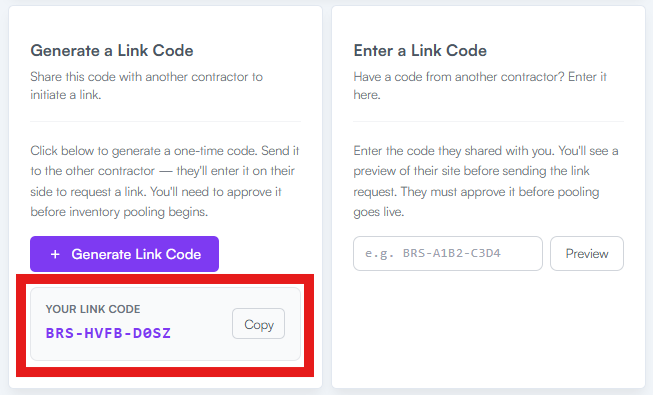
- Send the code to the other contractor
The other contractor will enter the code on their side to request the connection.
Inventory sharing will not begin until the request is approved.
How to Enter a Link Code
If another contractor shares a code with you:
-
From the Linked Sites Tab, Locate the Enter a Link Code section
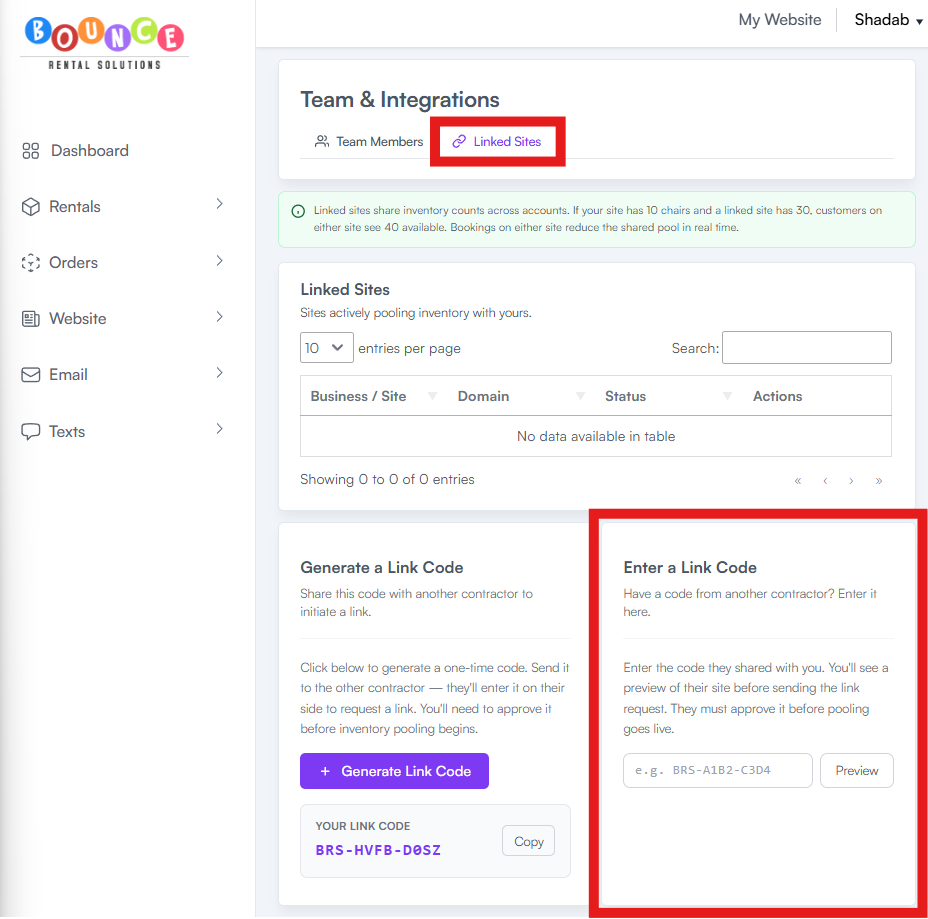
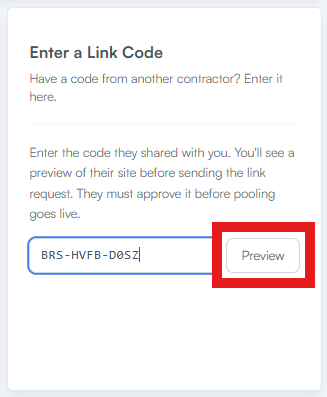
- Enter the code provided
-
Click Preview
- You will see a preview of the contractor’s site before submitting the request.
-
Click Approve & Send Request
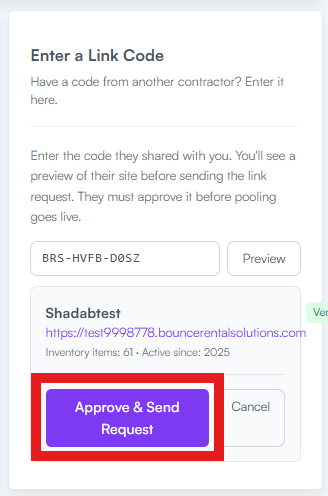
Once submitted, the other contractor must approve the request before inventory pooling becomes active.
Important Notes
Inventory syncing affects live availability across all linked sites.
This means:
- Bookings reduce shared inventory instantly
- Availability updates automatically
- Inventory counts are combined across linked accounts
Be careful when linking inventory with another business. Poor communication between contractors can still create operational problems even if the software sync is working correctly.
Best Practices
Before enabling inventory sharing:
- Confirm both businesses understand how shared counts work
- Clearly define who owns which inventory
- Communicate regularly about damaged or unavailable items
- Monitor bookings closely during busy weekends and holidays
Inventory syncing helps prevent double-booking, but it does not replace operational coordination between businesses.