
How to Add Notes to an Order
What This Is
BRS allows you to add notes directly to an order to help communicate important information internally or externally.
There are two types of notes:
Public Notes — visible to the customer on the invoice
Private Notes — internal only and not shown to the customer
Using notes properly helps keep office staff, drivers, and customers aligned throughout the order process.
How to Add Notes to an Order
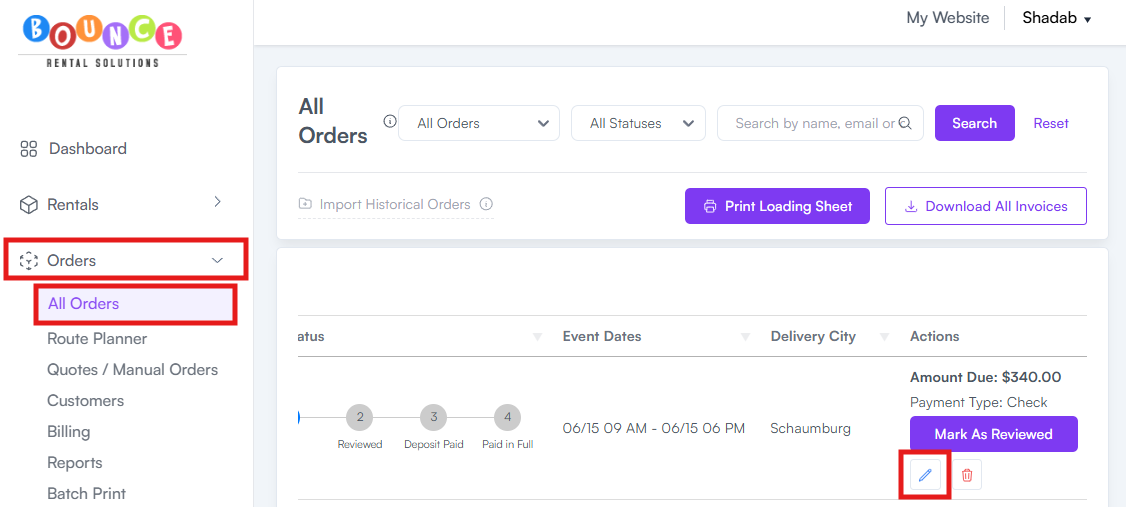
- Go to Orders → All Orders
- Select the order you want to update
-
Click Edit
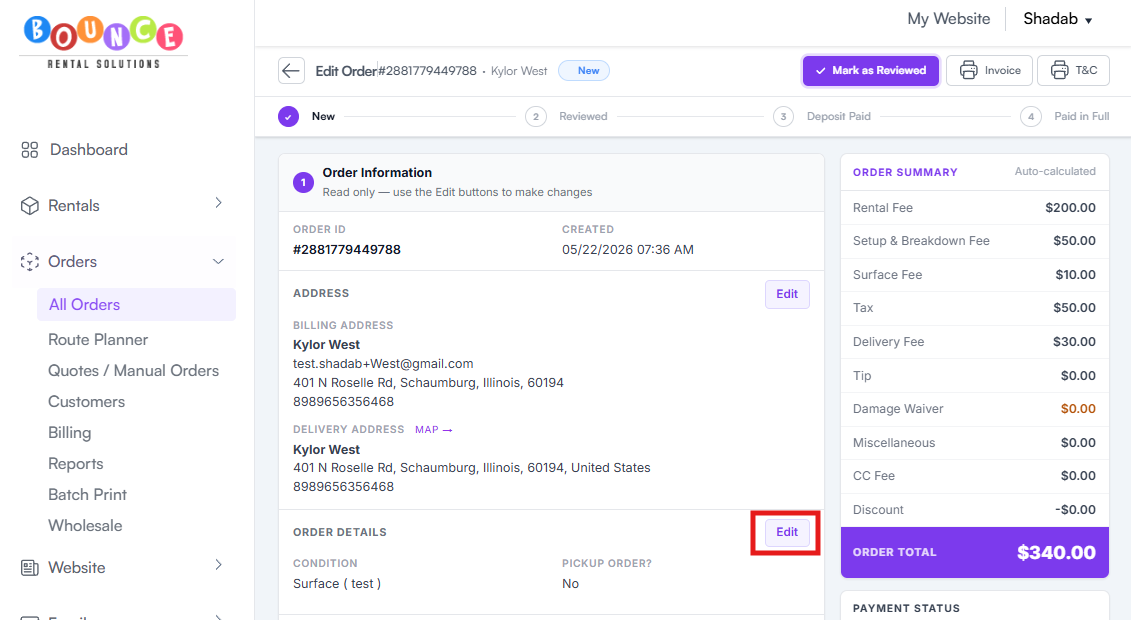
- Navigate to the Order Details section
-
Click Edit inside the order details area
- Enter either:
- A Public Note
-
A Private Note
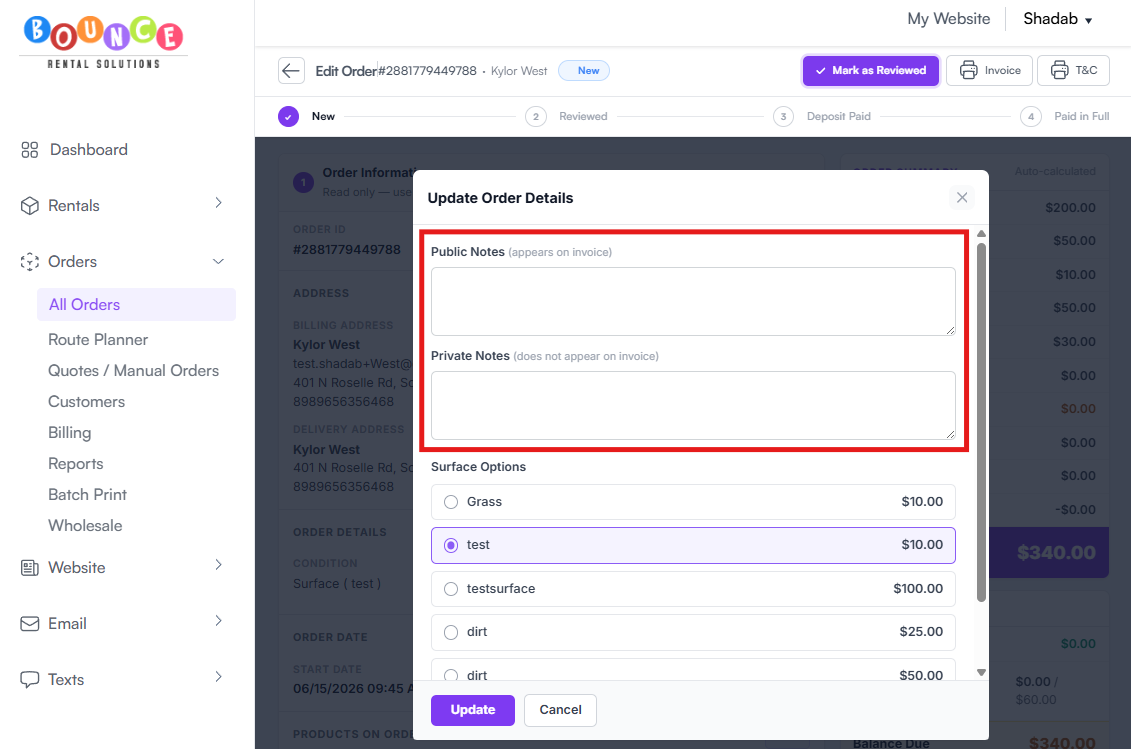
- Click Update Order
Your note will save directly to the order.
Public Notes
Public Notes appear on the customer’s invoice and can be viewed by the customer.
These are best used for:
- Delivery instructions visible to the customer
- Pickup reminders
- Payment reminders
- Weather-related notices
- Rental policy reminders
- Event timing confirmations
- Customer-facing setup information
Example:
“Please ensure the setup area is cleared before delivery arrival.”
Because customers can see these notes, keep them professional and clear.
Private Notes
Private Notes are internal only and do not appear on invoices or customer-facing documents.
These are commonly used for:
- Driver instructions
- Gate codes
- Parking details
- Remaining balances to collect onsite
- Internal scheduling reminders
- Customer behavior concerns
- Staff coordination notes
- Equipment condition tracking
Examples:
“Collect remaining cash balance onsite.”
“Customer requested side-yard setup.”
“Watch for low tree branches near setup area.”
Private notes are especially useful for delivery teams and office staff managing operational details behind the scenes.
Important Notes
Do not place sensitive internal information inside Public Notes since customers will see them on invoices and related documents.
Also avoid using notes as a replacement for proper communication workflows. Critical operational issues should still be communicated directly to drivers or staff when necessary.
Best Practices
Good notes are:
- Short
- Clear
- Specific
- Actionable
Avoid:
- Long paragraphs
- Vague instructions
- Unnecessary internal commentary
- Duplicate notes repeated across multiple sections
Messy order notes become difficult for drivers and staff to follow during busy schedules.
Additional Recommendations
Use Public Notes for customer communication and Private Notes for operational coordination.
Keeping the two separated properly reduces confusion and prevents accidental exposure of internal information.