
How to Edit or Add Your Rental Agreement in BRS
What This Is
The Rental Agreement section in BRS allows you to add or update the contract customers agree to during checkout.
This agreement is typically used to outline:
- Rental terms and conditions
- Damage policies
- Delivery rules
- Safety requirements
- Payment policies
- Cancellation policies
- Customer responsibilities
Customers are required to accept this agreement before completing their booking.
How to Edit Your Rental Agreement
-
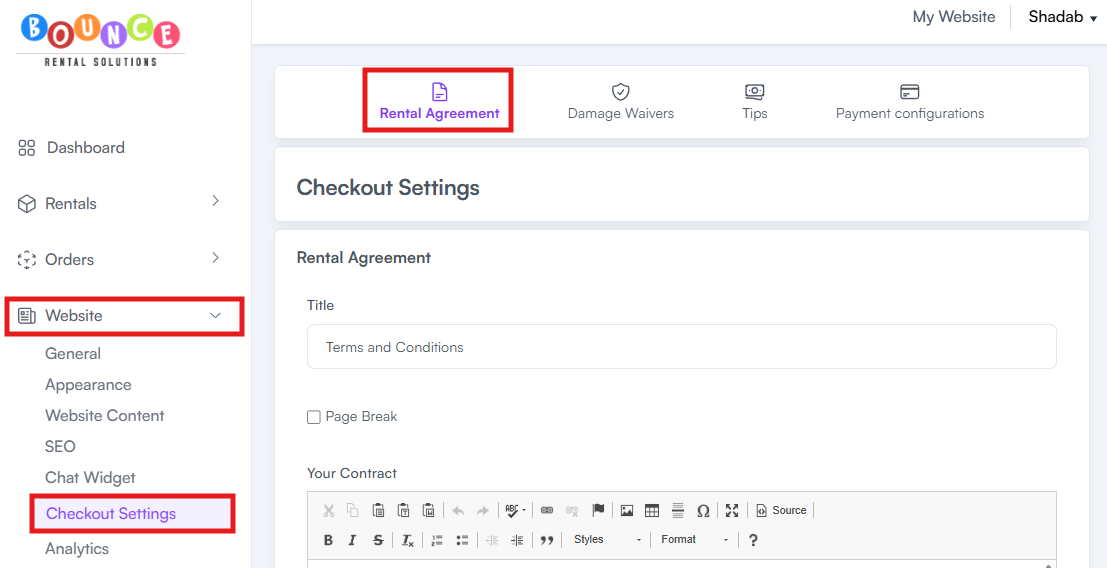
Go to General → Checkout Settings → Rental Agreement
-
Locate the Your Contract section
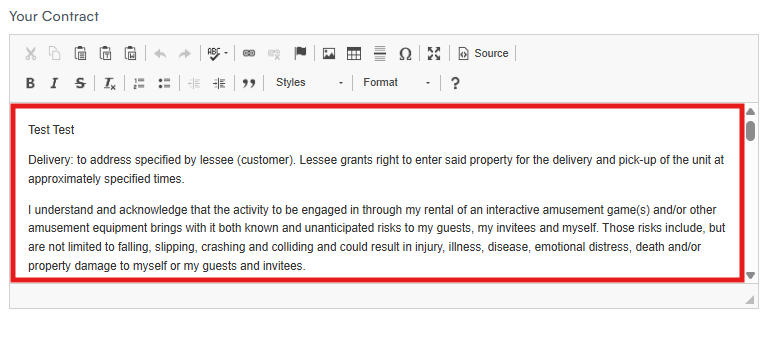
- Paste or edit your rental agreement content
- Click Save
Once saved, the updated agreement will apply during checkout.
Signature Section
At the bottom of the rental agreement, BRS automatically includes a customer signature section during checkout.
This section contains:
- Customer name
- Electronic signature
- Signature date and time
Example:
By signing below, you agree to adhere to the terms and conditions outlined in the rental agreement above.
Customer Name: {{first_name}} {{last_name}}
Signature: {{electronic_signature}}
Date: {{signature_at}}_
This signature section is automatically generated by the system and is not editable.
Customers must electronically accept and sign the agreement before completing their booking.
How to Access Signed Rental Agreements from Completed Orders
-
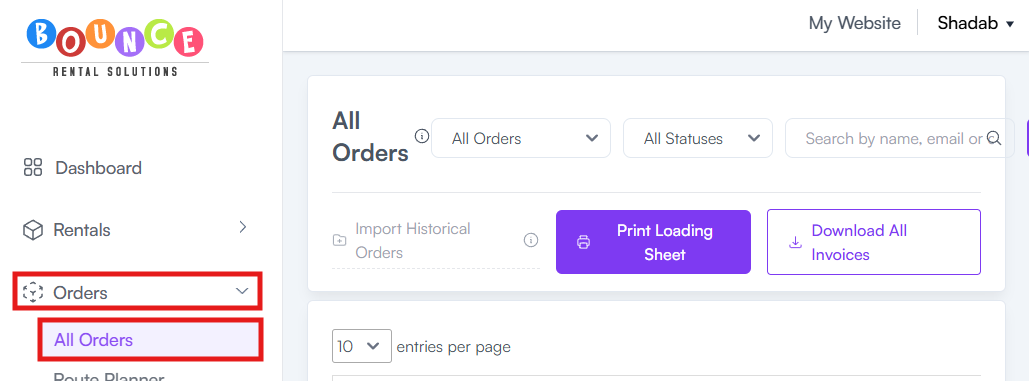
Go to Orders → All Orders
- Select the completed order you want to review
-
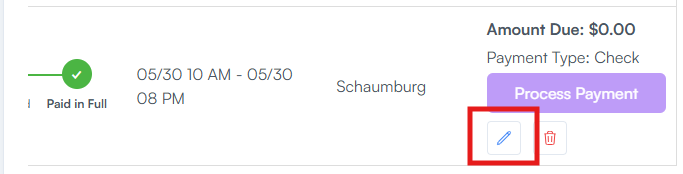
Click Edit
-
Click T&C
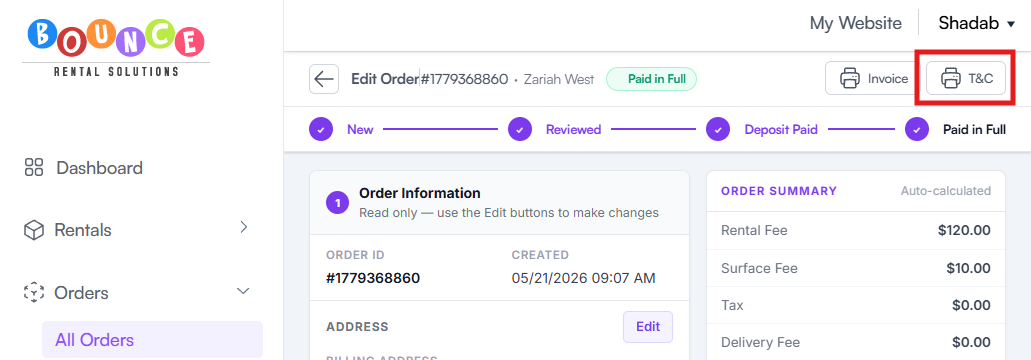
This allows you to view the rental agreement associated with that specific booking, including the customer’s digital acceptance/signature.
Common Uses for Rental Agreements
Most rental companies use agreements to:
- Protect against equipment damage disputes
- Explain setup and pickup expectations
- Clarify weather policies
- Define cleaning responsibilities
- Outline payment obligations
- Reduce misunderstandings with customers
A vague or incomplete rental agreement creates operational problems later when disputes happen.
Important Notes
Changes Apply Moving Forward
Updating your rental agreement affects future customer agreements moving forward.
Previously completed orders may still reference the agreement version active at the time of booking.
Customers Digitally Sign the Agreement
The rental agreement is part of the checkout process.
Customers must digitally accept the agreement before submitting their booking.
Because of this:
- Keep wording readable
- Avoid unnecessary complexity
- Make important policies easy to find
Many businesses bury critical policies inside giant unreadable contracts and later wonder why customers claim they “never saw it.”
Keep Language Clear
Avoid:
- Overly complicated legal wording
- Large unreadable paragraphs
- Contradictory policies
- Missing operational details
- Excessive legal copy-pasting
Strong agreements are operationally practical, not just legally intimidating.
Review Local Requirements
BRS does not provide legal advice.
If you are unsure whether your agreement properly protects your business, consult a qualified attorney familiar with:
- Rental agreements
- Liability protection
- State laws
- Consumer contracts
Many businesses copy contracts from competitors without understanding whether the wording is legally enforceable in their state.
Best Practices
Strong rental agreements are usually:
- Clear
- Specific
- Easy to read
- Operationally realistic
- Focused on common disputes
Good agreements explain expectations before problems happen instead of trying to fix misunderstandings afterward.
Additional Recommendations
Review your rental agreement regularly as your business grows.
Policies often need updating when:
- Adding new inventory types
- Expanding delivery areas
- Changing payment policies
- Offering overnight rentals
- Adding staffing or setup services
- Adjusting damage waiver terms
An outdated contract can create just as many problems as having no contract at all.