
How to Block Deliveries to Specific ZIP Codes
What This Is
The ZIP Code Exclusion feature is only available when your delivery method is set to Delivery by Distance.
It allows you to block specific ZIP codes from placing orders on your website, even if those ZIP codes fall within your configured delivery radius or service area.
When a customer enters an excluded ZIP code during checkout, they will be prevented from completing the order and will see a custom restriction message explaining that service is not available in their area.
This feature is useful for businesses that:
- Do not service certain neighborhoods
- Want to avoid difficult delivery locations
- Have geographic restrictions within their normal delivery area
- Need to limit deliveries due to operational constraints
How to Access ZIP Code Exclusions
-
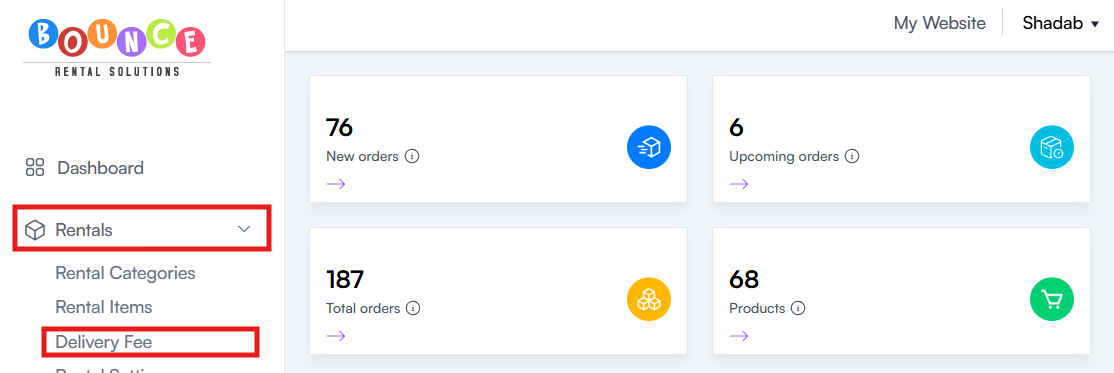
Go to Rentals → Delivery Fee
-
Scroll down to the ZIP Code Exclusion section
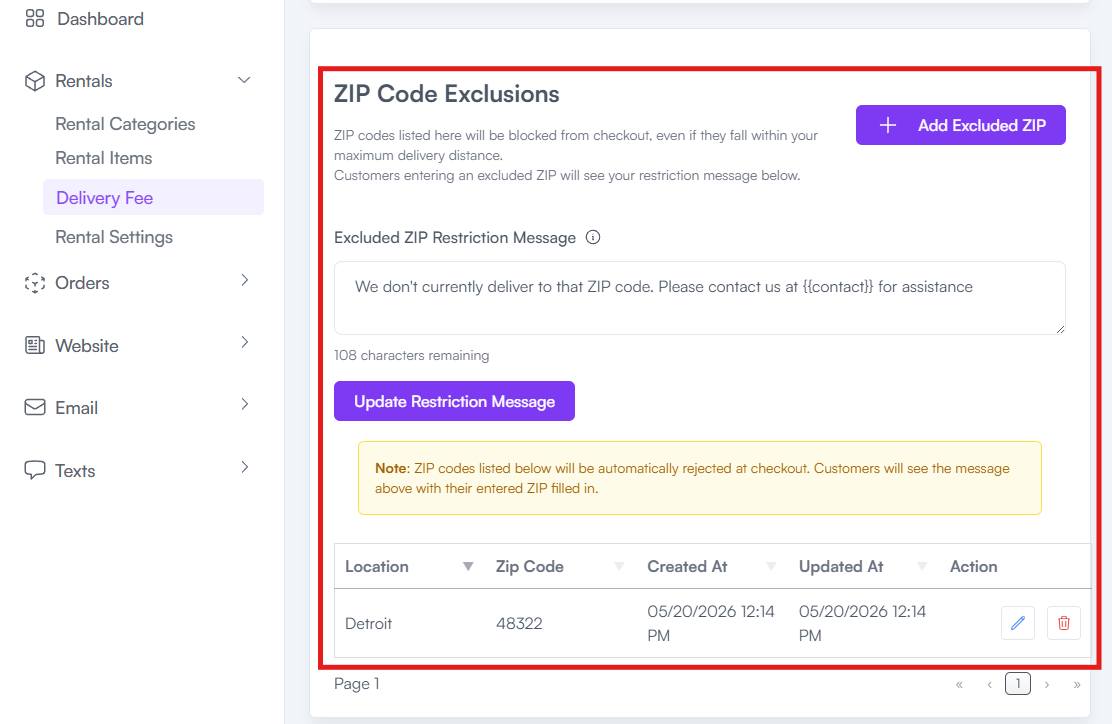
From here you can:
- Add Excluded ZIP Codes
- Edit the Restriction Message
- View Existing Excluded ZIP Codes
How to Exclude a ZIP Code
-
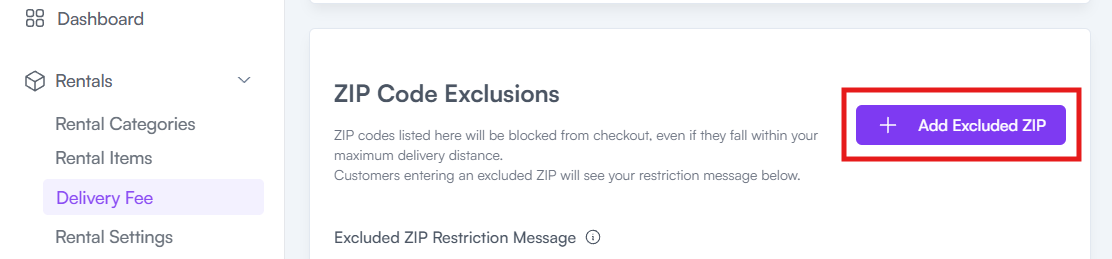
In the ZIP Code Exclusions section, click Add Excluded ZIP
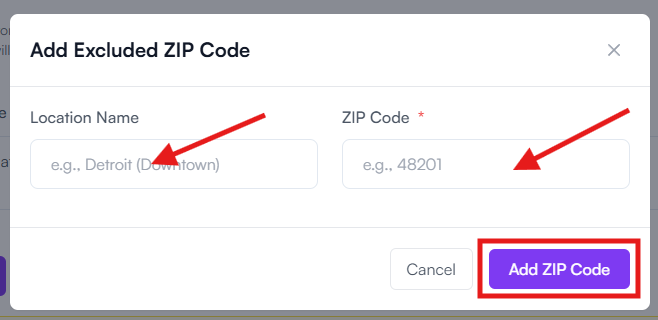
- Enter the Location Name
- Enter the ZIP Code
-
Click Add ZIP Code
Once added, customers entering that ZIP code will be prevented from completing checkout.
How to Edit the Restriction Message
The restriction message is displayed to customers when they attempt to book from an excluded ZIP code.
To edit the message:
-
In the ZIP Code Exclusion section, Locate the Restriction Message field
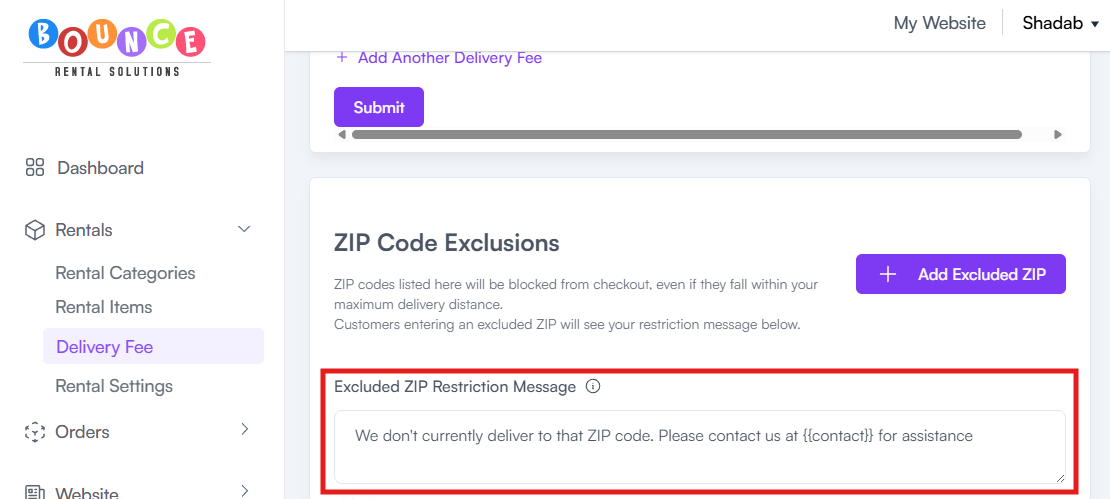
- Update the message as desire
The updated message will be displayed whenever a customer enters an excluded ZIP code.
Important Warning About Merge Codes

Do not remove the merge code {{contact}} from the restriction message.
This merge code automatically inserts the customer's name into the message when it is displayed.
Removing this merge code will prevent the system from personalizing the message for the customer.
Example:
If your message contains:
"Sorry {{contact}}, we currently do not service your area."
A customer named John would see:
"Sorry John, we currently do not service your area."
Why Use ZIP Code Exclusions?
Many rental companies use ZIP Code Exclusions to:
- Avoid long travel times
- Exclude areas with difficult access
- Limit deliveries outside preferred service zones
- Restrict service to locations that are not operationally profitable
- Manage staffing and delivery capacity
This allows you to maintain a larger delivery radius while still blocking specific areas that do not fit your business model.
Important Notes
ZIP Code Exclusions override your normal delivery settings.
This means:
- Customers in excluded ZIP codes cannot complete checkout
- Delivery distance calculations do not bypass exclusions
- The restriction applies automatically during checkout
Even if a ZIP code falls within your maximum delivery distance, it will still be blocked if it appears in your ZIP Code Exclusions list.
Best Practices
When creating exclusion rules:
- Use clear location names
- Review excluded ZIP codes periodically
- Keep your restriction message professional
- Explain how customers can contact you if they have questions
A clear message helps reduce confusion and support requests from customers who are unable to place an order.
Additional Recommendations
Before excluding a ZIP code, consider whether a delivery fee adjustment may be a better solution.
ZIP Code Exclusions are best used when you do not want to service an area at all. If you are willing to deliver but need to charge more, consider adjusting your delivery fee settings instead.
Properly configured ZIP Code Exclusions help prevent bookings in unsupported areas and ensure customers receive accurate service availability information during checkout.