
How to Send Customers Their Order Link
What This Is
Every order in BRS includes a unique, shareable Order Link that you can send directly to your customer.
Instead of collecting payment information over the phone, you can send the order link so the customer can securely access their order online. From there, they can review their booking, update their payment method, and make a payment whenever it's convenient.
This provides a faster, more secure, and self-service experience for both you and your customers.
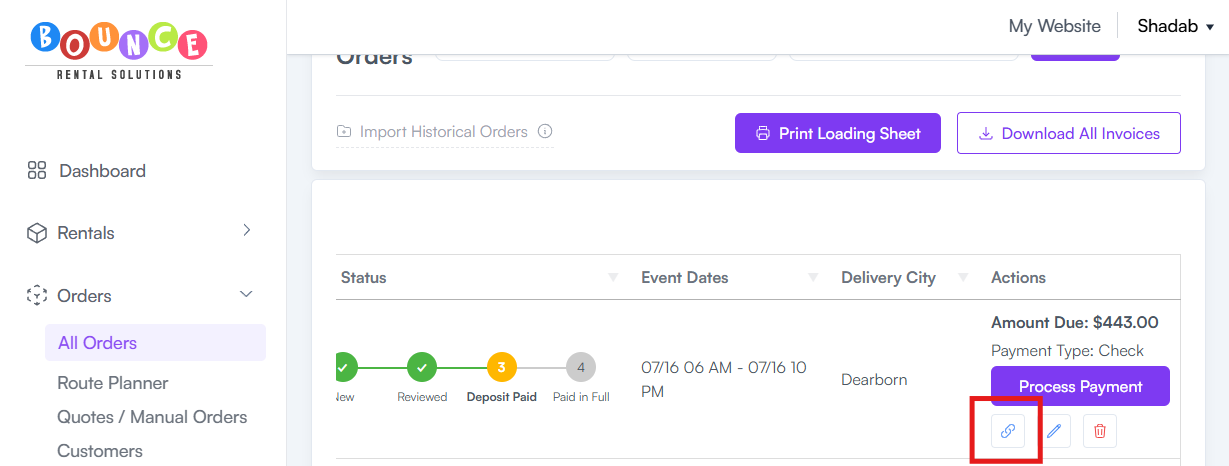
Where to Find the Order Link
There are two places you can access an order's shareable link:
Option 1: From the All Orders page
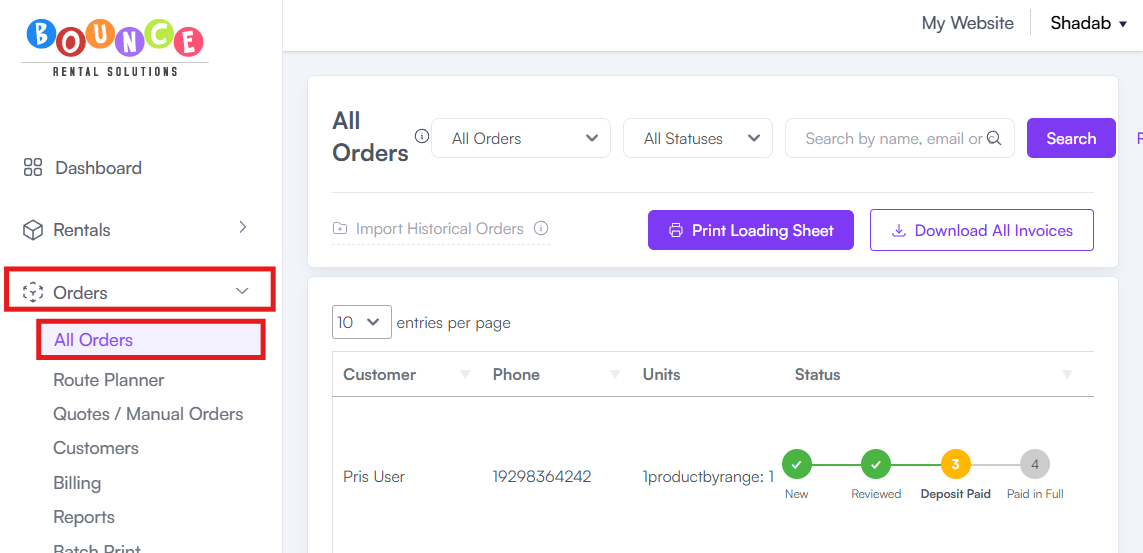
From your Dashboard, go to:
-
Orders → All Orders
-
The Order Link is available directly from the All Orders page, allowing you to quickly copy and share it without opening the order.
Option 2: From the Order Editor
-
From your Dashboard, go to: Orders → All Orders
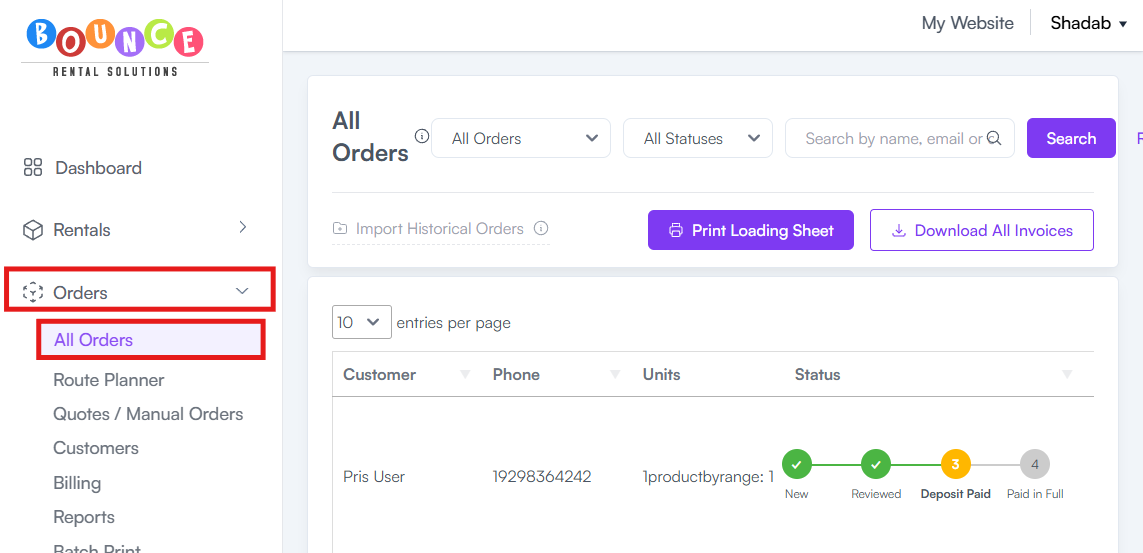
- Locate and open the order.
- Click Edit (Pencil Icon).

- The Order Link will be displayed within the order.
- Copy the link and send it to your customer by email, text message, or any other communication method you prefer.

What Customers Can Do with the Order Link
When customers open their order link, they can:
- View their order details
- Update their credit or debit card information
- Make a payment toward their order
- Review their booking information
This allows customers to manage their own payment information without needing assistance from your staff.
Common Use Cases
- Request a Payment
If a customer still has an outstanding balance, simply send them their order link so they can submit a payment online.
- Update a Payment Method
If a customer's card has expired or needs to be replaced, they can use the order link to update their payment information themselves.
- Avoid Taking Cards Over the Phone
Many businesses prefer not to collect credit card information over the phone for security and privacy reasons.
Instead, send the customer their order link so they can securely enter or update their payment details themselves.
Why Use the Order Link?
Using the order link can help you:
- Reduce the need to collect card information over the phone
- Give customers a secure, self-service payment option
- Save time for both your staff and your customers
- Reduce errors when entering payment information manually
- Make it easier for customers to complete payments at their convenience
Important Notes
- Every order has its own unique order link.
- The order link remains active until the order is completed and for 30 days after the event date. After that period, the link will no longer be accessible.
- Always send the order link through a trusted communication method, such as email or text message, so customers know it came from your business.
These changes address all three of your boss's comments while keeping the rest of the article intact.