
How to Create a Manual Order
What This Is
A manual order is used when you are ready to lock in a booking for a customer.
This typically happens when:
- A customer calls you
- You take payment over the phone
- You want the order to immediately go on your calendar
Once created, a manual order is considered confirmed and scheduled.
Manual Orders vs. Quotes (Important)
- Manual Order
- You are creating the order for the customer
- You can collect payment (including credit card over the phone)
- The order is immediately added to your calendar
- The customer is not sent a checkout link
- The customer does not explicitly accept terms via checkout
- You should include language in your terms stating that placing an order means agreeing to them
- Quote
- This is an estimate sent to the customer
- The customer must:
- Open the link
- Enter payment (if required)
- Accept terms and conditions
- The order does not go on your calendar until the customer completes checkout
- Until then, it stays in the quote list
Steps
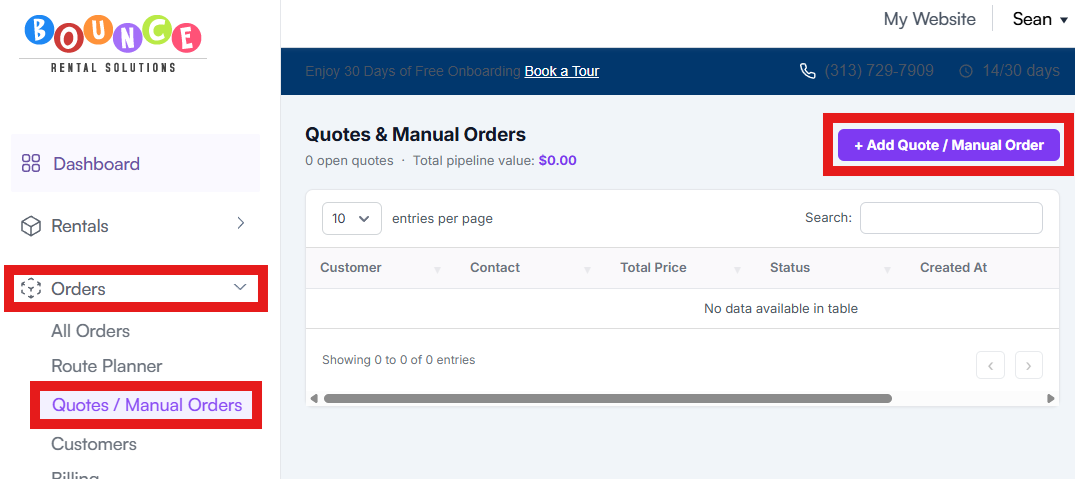
1. Go to Orders → Quotes/Manual Order → Add Quote/Manual Order
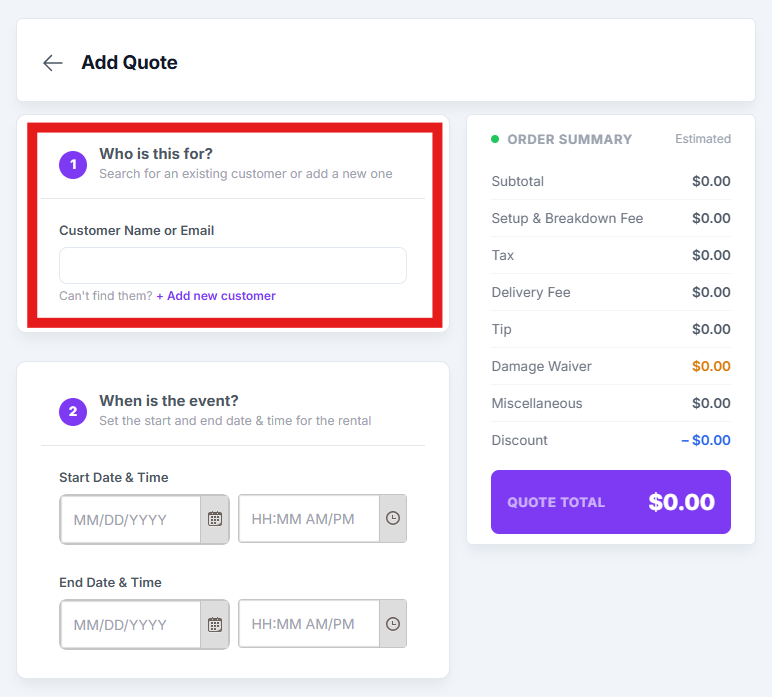
2. Search for the customer or create a new customer profile
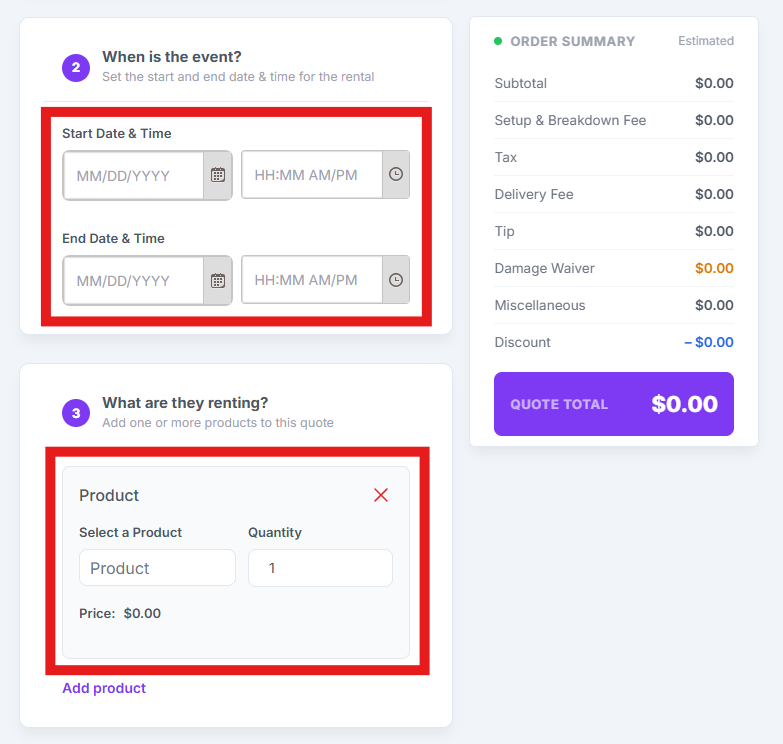
3. Set:
- Delivery date
- Delivery time
- Pickup time
4. Select the product(s) being rented
5. Choose the payment method
6. Review the order total
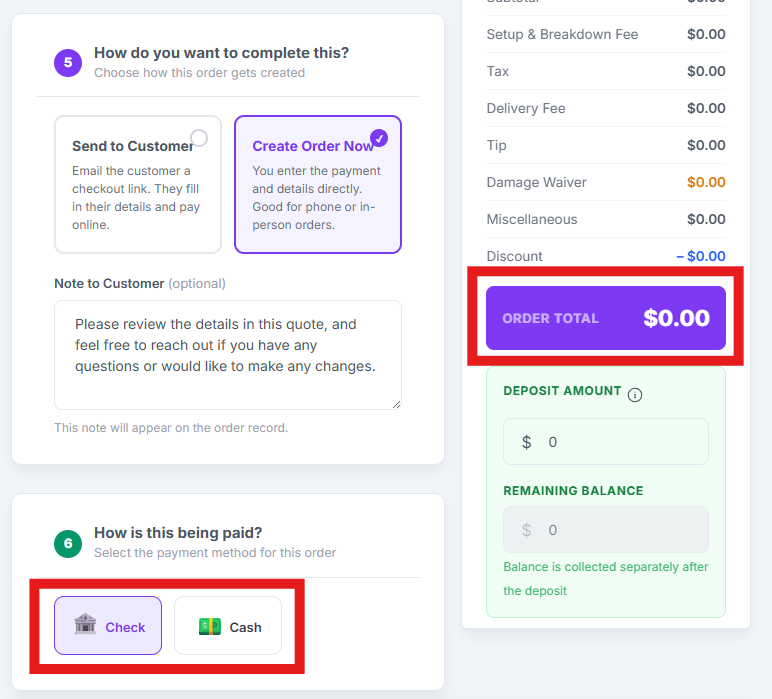
7. Create the order
Payments (Manual Orders Only)
-
The payment methods available here are based on:
Website → Checkout Settings
- If you have credit card, cash, check, or custom methods enabled, they will appear here
- The deposit will automatically populate based on your deposit settings
- You can:
- Change the deposit amount
- Set it to $0
- Charge up to 100% of the order
What Happens Next
- Manual Orders
- Immediately appear on your calendar
- Are considered confirmed bookings
- Quotes
- Stay in the quote list
- Only move to your calendar once the customer completes checkout
Customer Profile Requirements
The customer must have:
- First and last name
- Delivery address
- Phone number
If any of these are missing, the order cannot be created.
When to Use Each
- Use Manual Orders when:
- You’re on the phone with a customer
- You’re ready to confirm the booking immediately
- Use Quotes when:
- You want the customer to review pricing
- You want them to complete checkout themselves