
How to Rename the "Quantity" Label on a Product
What This Is
BRS allows you to customize the customer-facing label used for product quantities on a per-product basis.
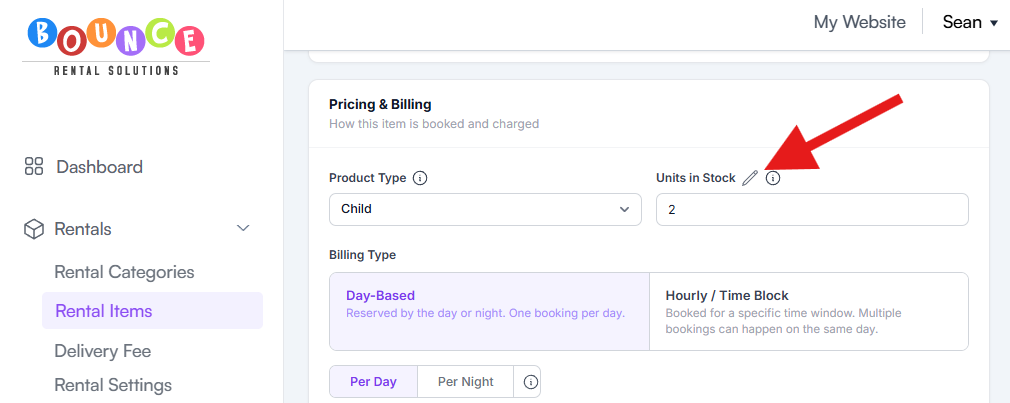
By default, customers usually see the word “Quantity” on the product page. Using the pencil icon next to Units in Stock, you can replace that label with something more natural for the specific item you are renting.
Examples:
- Quantity → Guests
- Quantity → Hours
- Quantity → Containers
- Quantity → Chairs
- Quantity → Attendees
This helps products feel clearer and more professional to customers, especially when “Quantity” does not accurately describe what the customer is selecting.
This feature only changes the front-end wording customers see.
It does NOT:
- Change inventory calculations
- Change pricing behavior
- Change stock tracking
- Change how quantities are stored internally
- Modify package math or billing logic
The underlying inventory system still works exactly the same way behind the scenes.
Steps
- Go to Rentals → Rental Items
-
Open the product you want to edit
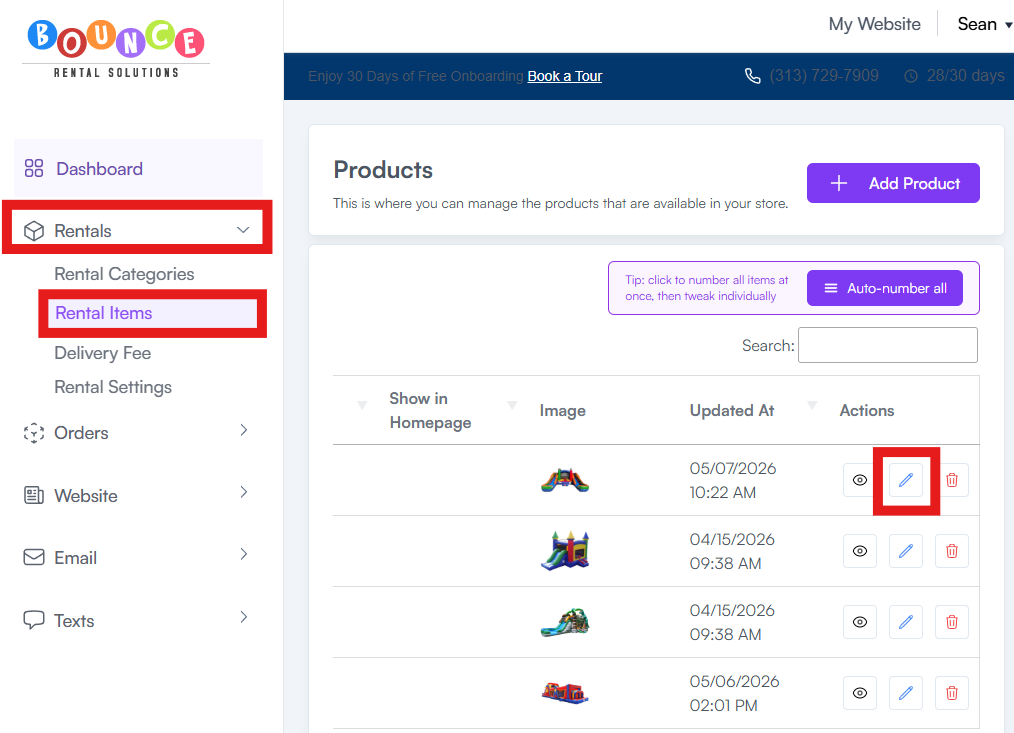
- Locate the Units in Stock field
-
Click the pencil icon next to it
-
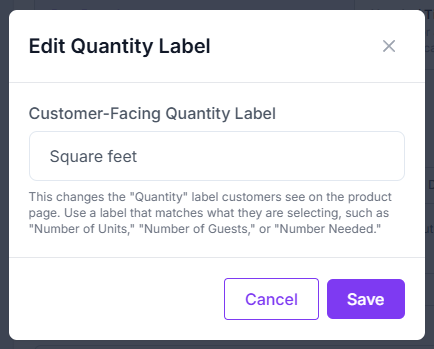
Enter the custom label you want customers to see
-
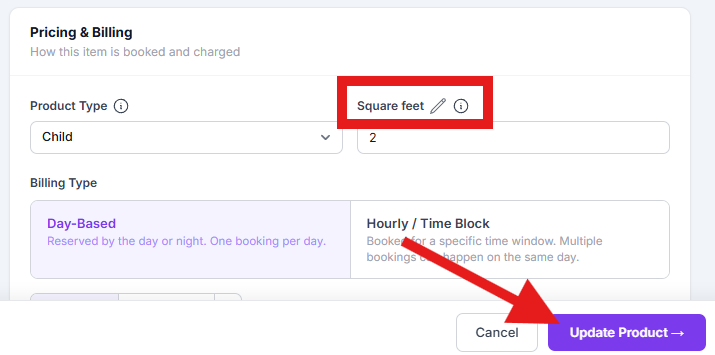
Save the product
If you have not created products yet, first see: How to Add Your First Product.
How It Works
Example 1:
You rent portable restroom trailers.
Instead of:
- Quantity
Customers could see:
- Units
Example 2:
You rent tables by seating capacity.
Instead of:
- Quantity
Customers could see:
- Guests
Example 3:
You rent staffing or hourly services.
Instead of:
- Quantity
Customers could see:
- Hours
This only affects the wording displayed to customers during the booking process.
Behind the scenes:
- Inventory still deducts normally
- Availability still calculates normally
- Pricing rules still function the same way
Important Clarification
A lot of users mistakenly assume renaming the label changes the logic of the product itself. It does not.
Example:
If you rename “Quantity” to “Guests”:
- BRS does NOT suddenly understand guest counts
- Inventory does NOT become person-based
- Pricing does NOT automatically calculate per guest
You are only changing the label customers read on the front-end.
The actual pricing and inventory behavior still depends entirely on how the product pricing is configured. If you need to control package-based pricing behavior, see: How Pricing Options Work (Fixed Rental Packages).
Best Practices
Use labels that match how customers naturally think about the product.
Good examples:
- Chairs
- Tables
- Coolers
- Hours
- Guests
- Booths
- Containers
Bad examples:
- Internal warehouse terms
- Technical abbreviations customers will not understand
- Labels that imply functionality the system does not actually support
Clarity matters because confusing quantity wording creates unnecessary booking mistakes and customer questions.