
How to Change a Manual Order to Customer Pickup
What This Is
If a customer wants to pick up their rental items instead of having them delivered, you can convert an existing manual order into a customer pickup order.
Important: You must first create the order as a normal manual order with a delivery address. Once the order has been created, you can edit it and enable the customer pickup option.
Step 1: Create a Normal Manual Order
First, create a regular manual order with the customer's information and delivery address.
See: How to Create a Manual Order
Step 2: Edit the Order to Make It a Customer Pickup
-
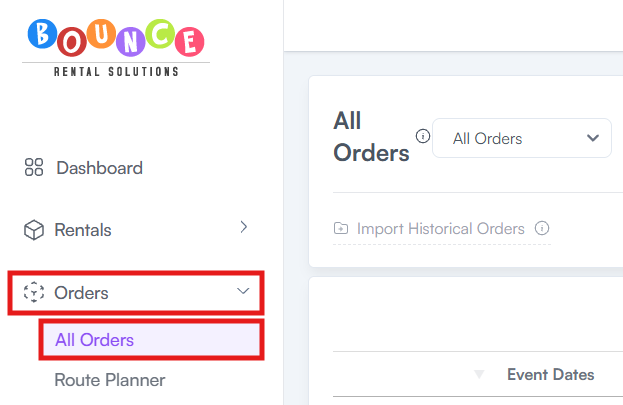
From your BRS dashboard, go to Orders → All Orders.
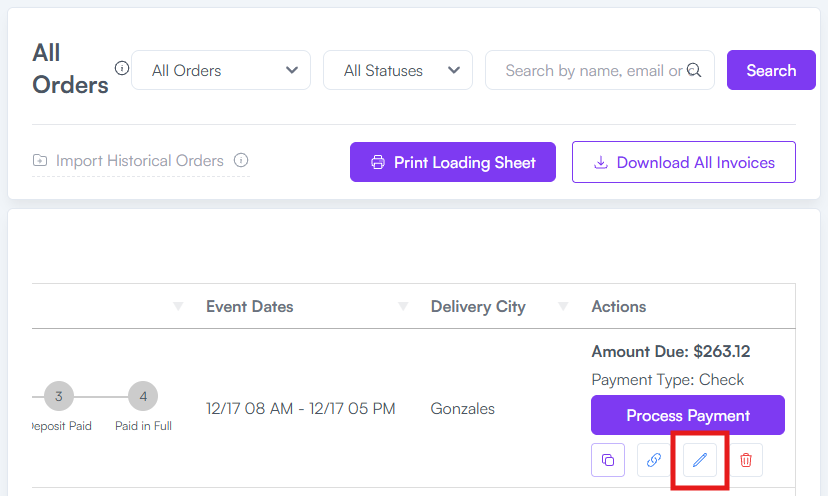
- Search for and locate the manual order you just created.
-
Click Edit to open the order.
-
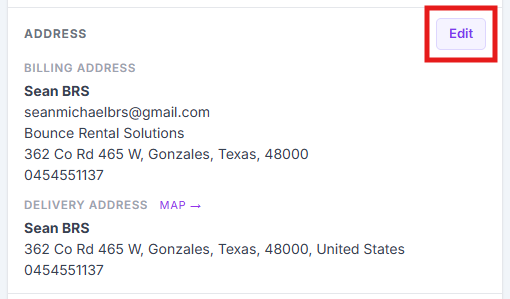
Find the address section and click Edit.
-
Check the box labeled Pick Up Order?.
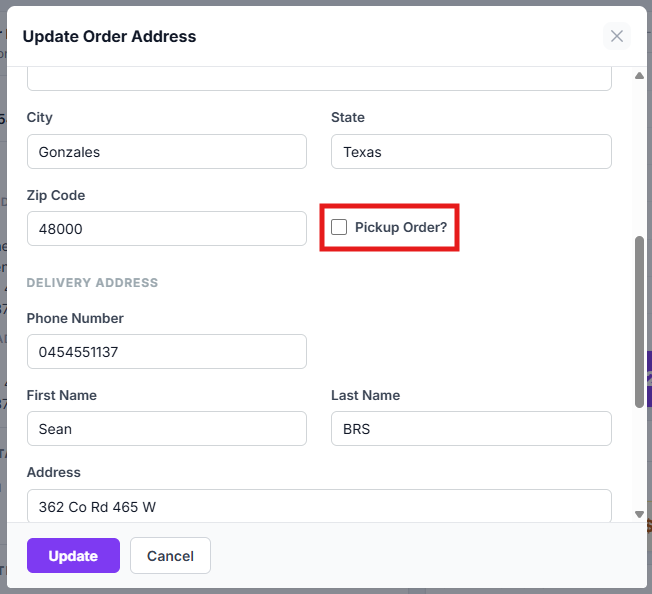
- Save or update the order.
Your manual order is now marked as a customer pickup order.
Important Note
The Pick Up Order? option is available when editing an existing order. Remember to create the manual order with a delivery address first, then edit the address to change it to customer pickup.