
How Time Increments Work (Day-Based Pricing)
What This Is
Time increments are the recommended pricing setup for day-based rentals. They allow the price to update automatically based on how long the customer is renting.
How It Works
You define price tiers based on rental duration. The system automatically applies the correct price when the customer selects their delivery and pickup times.
Example Setup
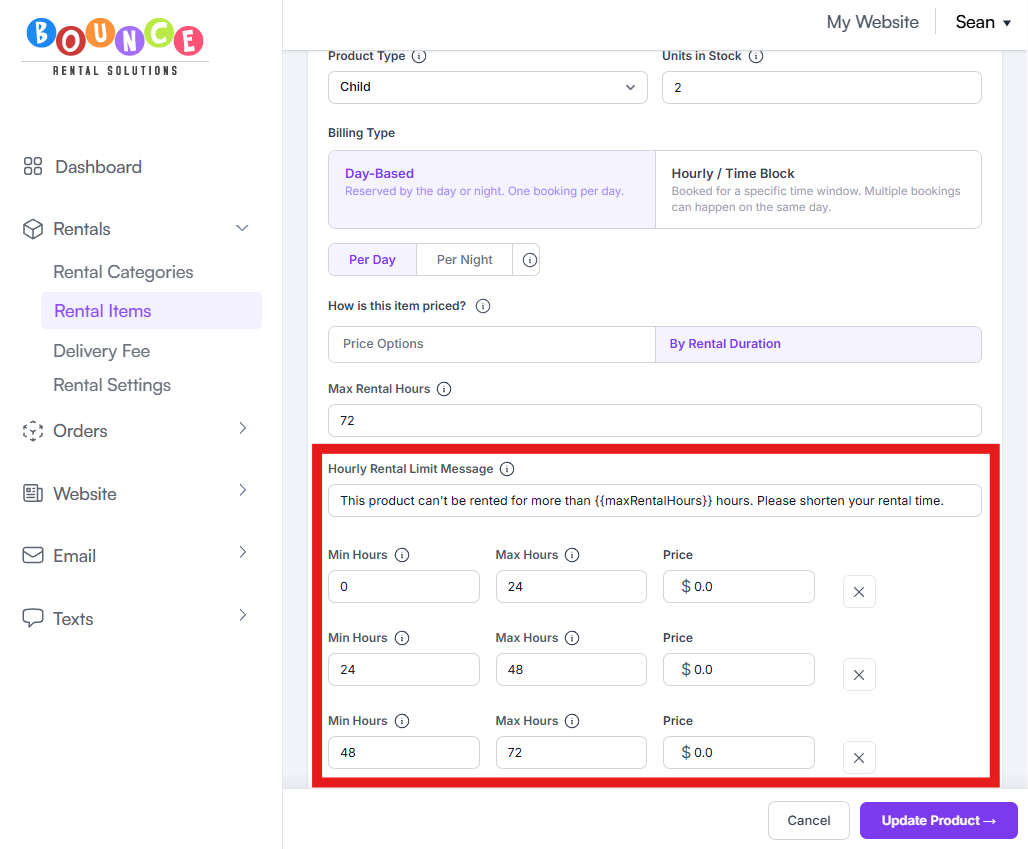
• 1–24 hours: $150
• 24–48 hours: $225
• 48–72 hours: $275
Steps
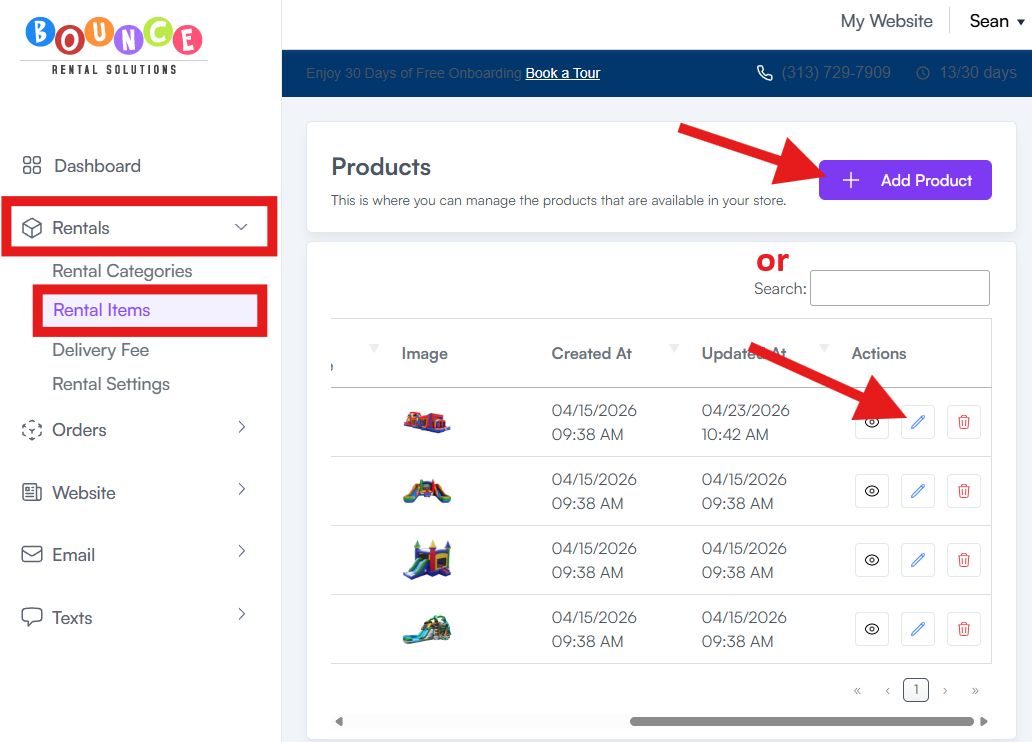
1. Open the product in Rentals → Rental Items → Add Product or Select item to edit
2. In the pricing section, select Day Based → By Rental Duration/Time Increments as your pricing method
3. Add your duration tiers and the price for each
4. Save/Update Product the product
Why This Is Recommended
• Price updates automatically when your customer selects their dates
• Works naturally with multi-day rentals
• Customers see the price change in real time as they select their times
• Works with the Overnight feature
After setting this up, test different durations to confirm pricing updates correctly (see: How to Place a Test Booking Before Going Live)