
Why You Can’t Add a Product to a Quote or Order
What this usually means
You should be able to add or remove products on a quote or order.
If BRS does not allow you to add a product, the most common reason is that the product is not available for the selected date and time.
When this happens, the quote or order should show a message explaining that the item is not available for that date.
How to add or remove products from an order
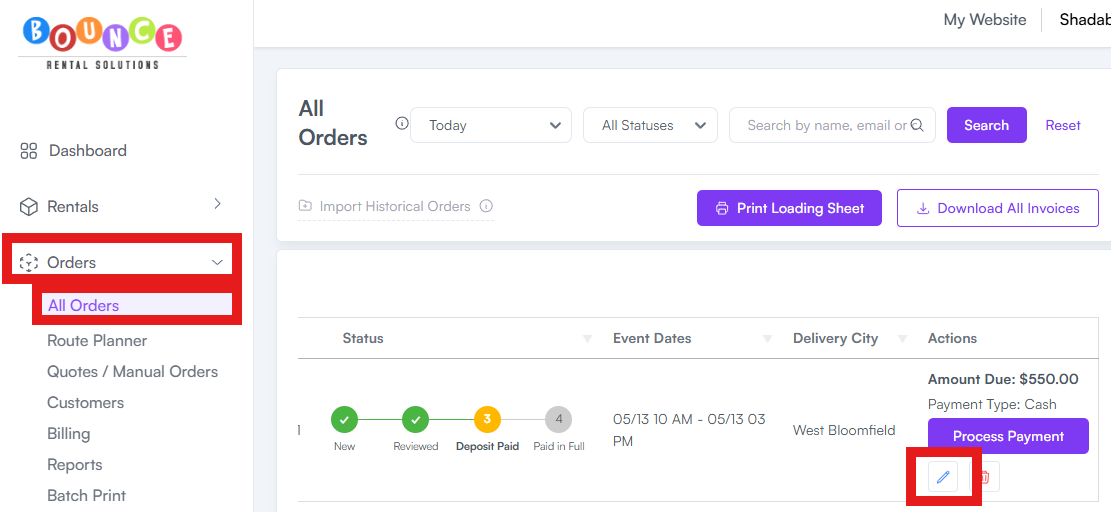
- Go to Orders → All Orders.
-
Edit the specific order.
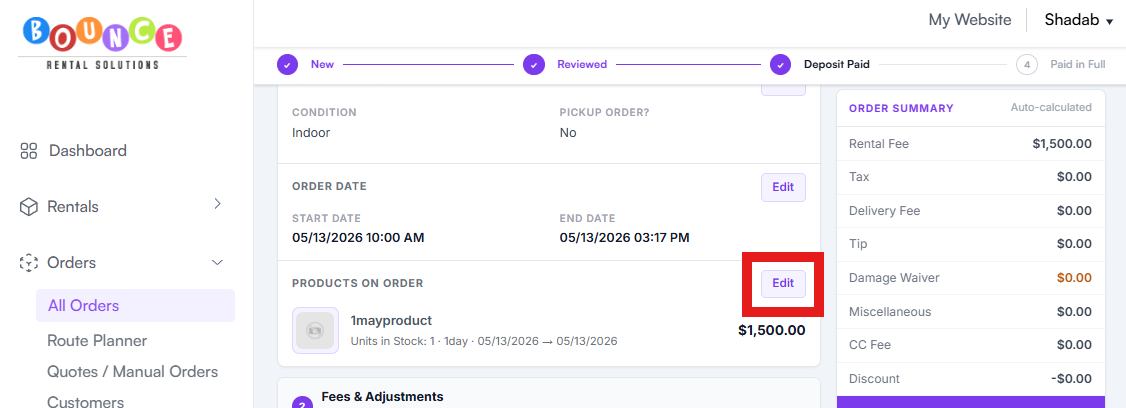
- Find the section that shows the Product on order on the order.
-
Click Edit on the number of items.
-
Add or remove the products as needed.
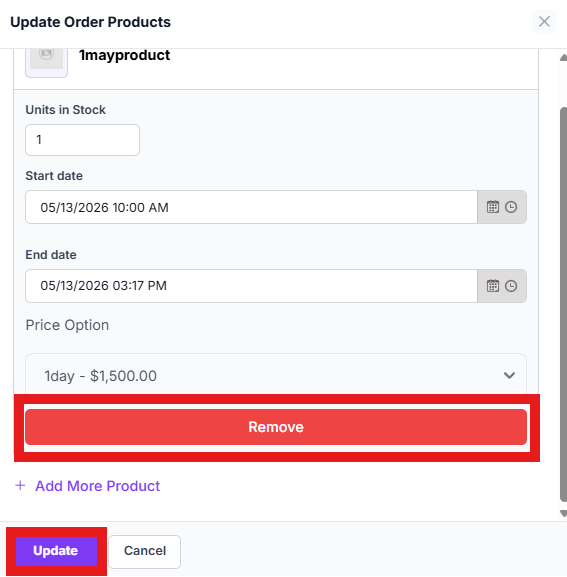
- Review the updated total before saving.
After adding or removing items, review:
- Product availability
- Rental subtotal
- Delivery fee
- Taxes
- Deposit amount
- Remaining balance
How to add a product to a quote
Open the quote and add the product to the quote.
If the product is available for the selected date and time, you should be able to add it.
If the product is not available, the quote should tell you the item is unavailable for that date.
For more help working with quotes, review How to Send a Quote and Convert It to an Order.
If the product is not available
If the product is not available, check:
- Product inventory
- Existing orders for that date/time
- Buffer time
- Blocked dates
- Delivery capacity
- Variants, if applicable
For more help troubleshooting availability, review Why Availability Is Not Blocking Correctly.
If you still need help
If you believe the product should be available but BRS is not allowing you to add it, contact support.
Include:
- Quote or order number
- Product you are trying to add
- Date and time of the rental
- Screenshot of the message you see
- Whether you tested the same item in a test order