
How to Export Your Customer List from BRS
What This Is
The Customer Report allows you to export a list of customers stored in your BRS account.
This report is useful for:
- Reviewing customer information
- Building marketing lists
- Analyzing customer history
- Maintaining customer records
- Exporting customer data for business use
The report includes customer information collected through orders placed in your BRS account.
How to Export Your Customer List
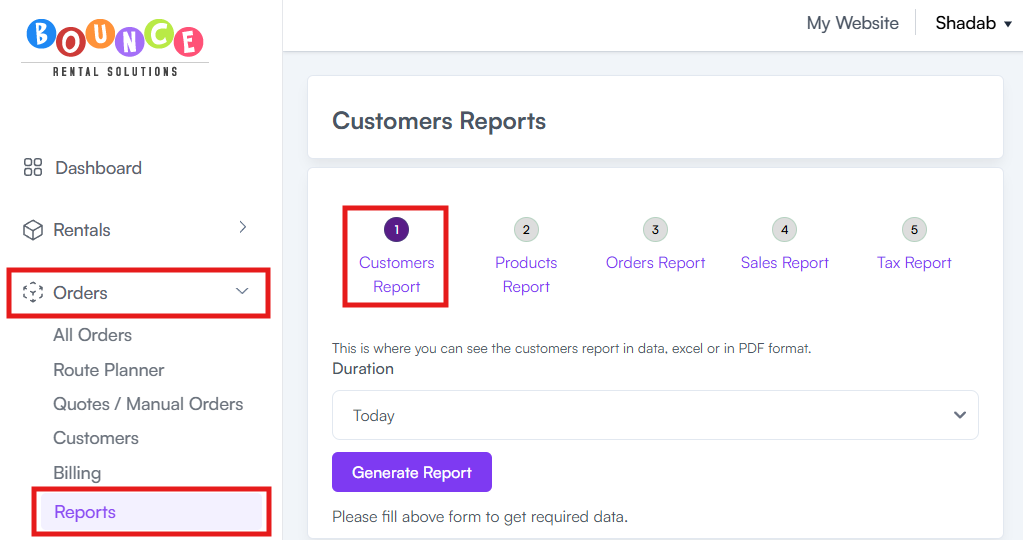
- Go to Orders → Reports
-
Click Customer Report
-
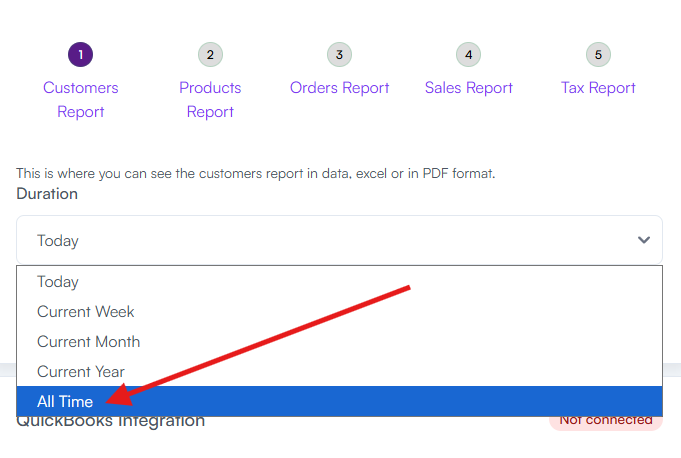
From the date range dropdown, select All Time
-
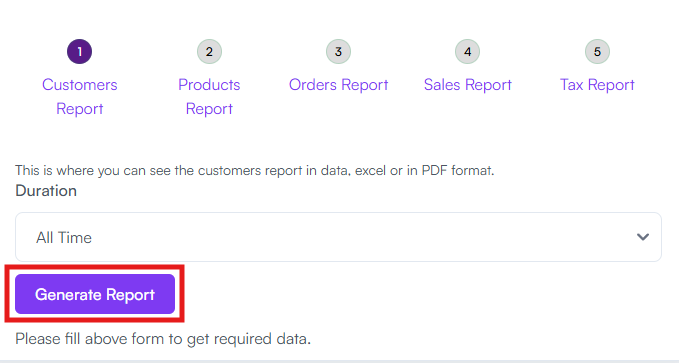
Click Generate Report
- Scroll to the bottom of the report results
-
Click Download or Print
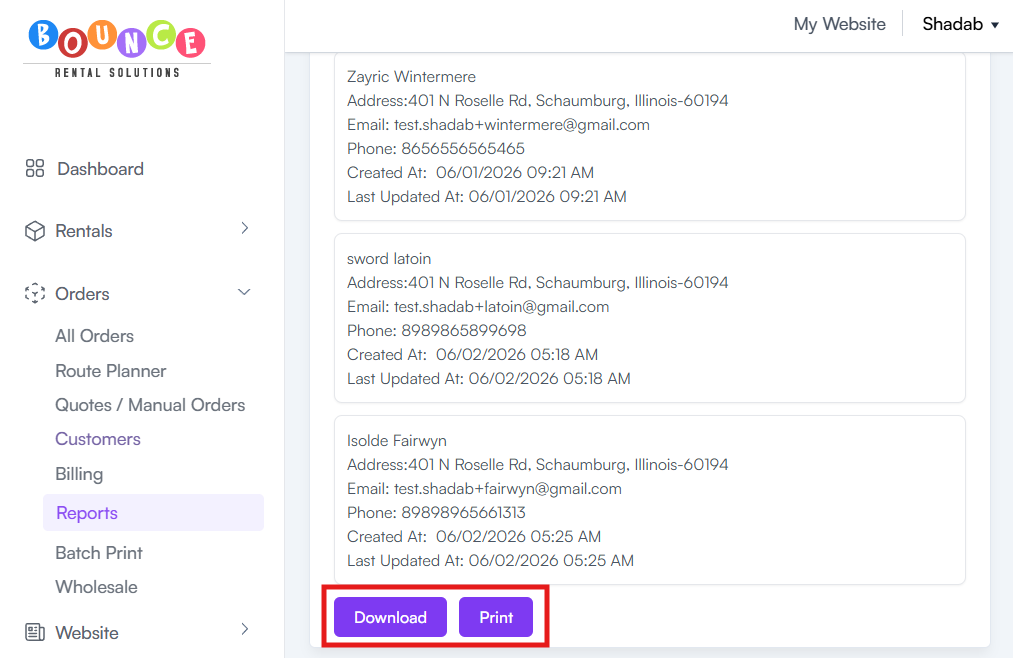
Your customer data will then be available for download or printing.
What Information Is Included
Depending on the available customer records, the report may include:
- Customer names
- Email addresses
- Phone numbers
- Company names
- Order history information
The exact information displayed may vary based on the data collected for each customer.
Common Uses
Businesses commonly export customer reports for:
Marketing Campaigns
Create customer lists for:
- Email campaigns
- Text campaigns
- Holiday promotions
- Repeat customer outreach
See: Understanding the BRS Text Messaging System
Customer Record Keeping
Maintain backups of:
- Customer contact information
- Historical customer data
- Business records
Business Analysis
Review:
- Customer growth
- Repeat customer activity
- Overall customer database size
Important Notes
Date Range Matters
The selected date range determines which customers appear in the report.
Choosing All Time will include all available customer records associated with your account.
Export Before Major Changes
If you plan to:
- Clean up customer records
- Import new contact lists
- Reorganize customer data
It is often a good idea to export your customer report first as a backup.
Customer Privacy
Customer information should be handled responsibly and in accordance with any applicable privacy laws or regulations in your area.
Only use exported customer data for legitimate business purposes.
Additional Recommendations
If your goal is to build marketing campaigns, consider keeping your customer records updated regularly.
You may also want to review:
See: How to Upload Customer Contacts into BRS
See: How to Upload Customer Contacts Through the Email Tab
Keeping an organized customer database makes future marketing, communication, and reporting significantly easier.